

Gleason Performing Arts
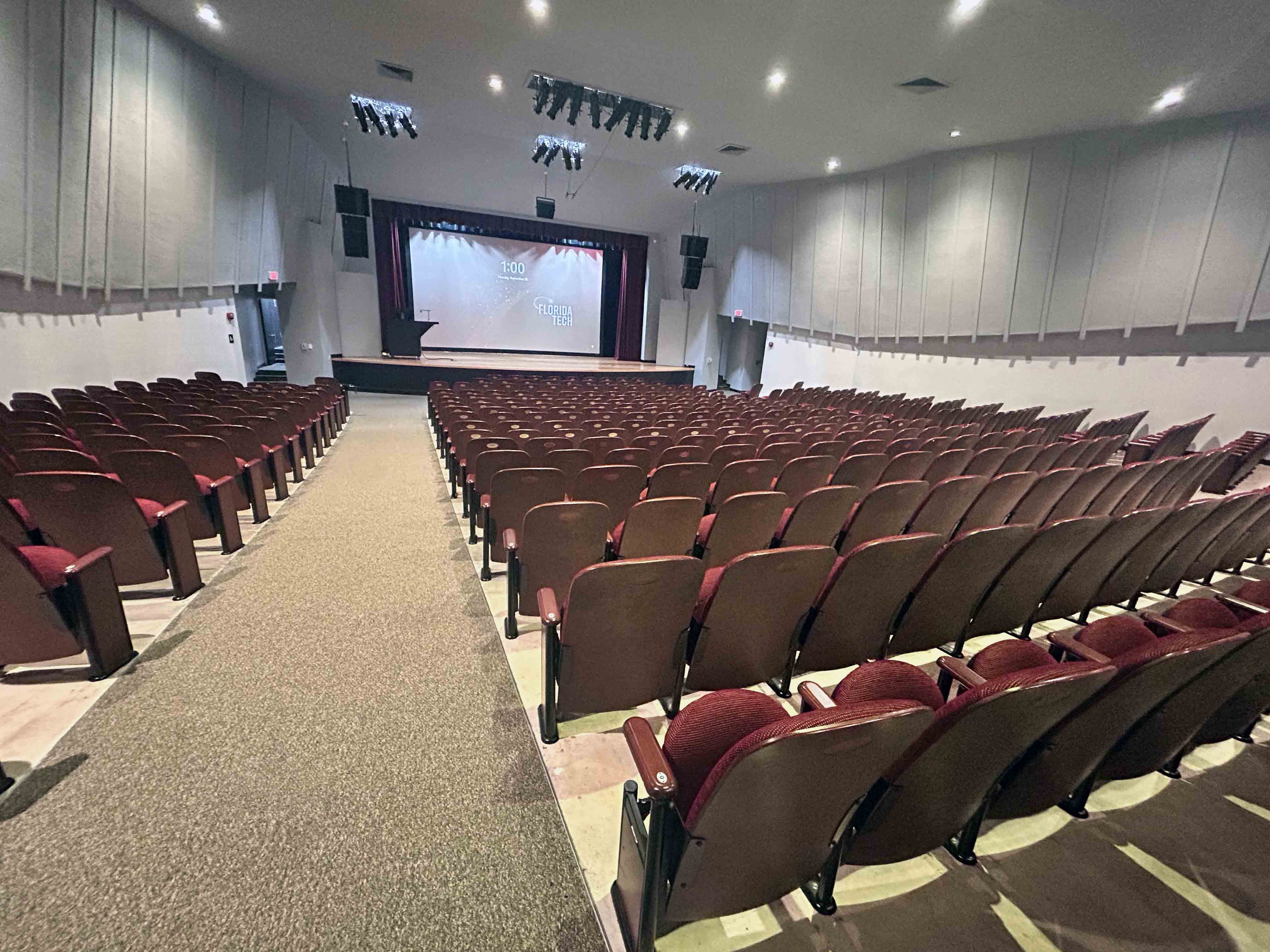
Building
View Map LocationCapacity
482
Classroom Technology
Audtiorium Seating, Document Camera, Projector
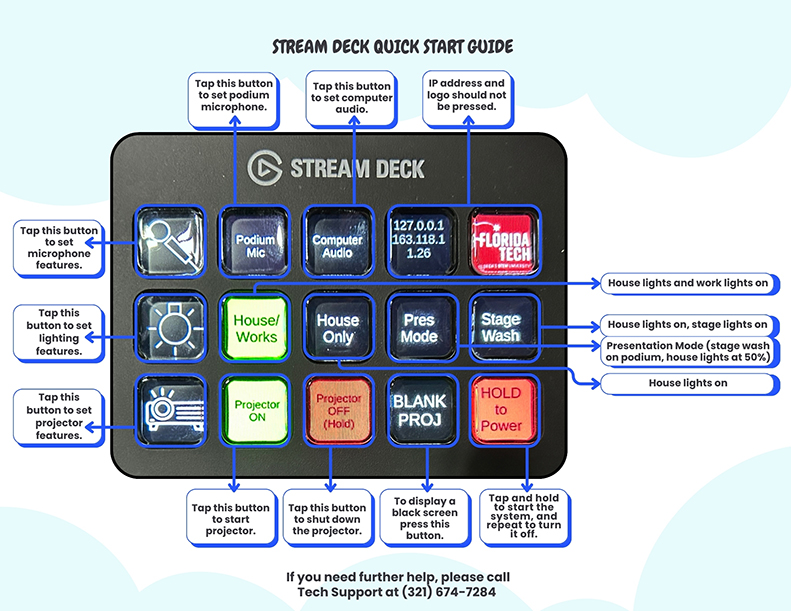
Click for full size image.
Stream Deck Quick Start Guide
Audio Controls
- Podium Mic: Tap to activate podium microphone.
- Computer Audio: Tap to enable computer sound.
- Microphone Features: Tap to adjust mic settings.
Lighting Controls
- House/Works: Turns on house and work lights.
- House Only: Turns on house lights, stage lights off.
- Pres Mode: Stage wash on podium, house lights at 50%.
- Stage Wash: Turns on stage wash lighting.
- Lighting Features: Tap to adjust lighting settings.
Projector Controls
- Projector ON/OFF: Tap to power projector on or off.
- BLANK PROJ.: Tap to show a black screen.
- HOLD Power Button: Tap and hold to start system; hold again to shut down.
Do Not Press
- IP Address and Logo Buttons: These are not functional and should not be pressed.
Need Help?
Tech Support: (321) 674-7284